CyberDefenders - Eli
Table of Contents
Scenario
As a soc analyst, analyze the artifacts and answer the questions.
Category: Endpoint Forensics
Tools: 1. CyberChef 2. DCode 3. DB Browser for SQLite 4. Unfurl 5. CLEAPP 6. RLEAPP
Resources: 1. Hindsight from Ryan Benson: https://github.com/obsidianforensics/hindsight 2. Chromebook Data Locations: https://www.magnetforensics.com/blog/chromebook-data-locations/ 3. Taking a Byte out of Chromebook Analysis: https://www.magnetforensics.com/resources/taking-a-byte-of-chromebook-analysis-mvs-may-5/ 4. Ross Donnelly on Google Takeout Location Data: https://dfir.pubpub.org/pub/d39u7lg1/release/1 5. Takeout Locations: https://www.magnetforensics.com/resources/targeted-locations-quick-reference-guide-for-android-and-google-takeouts/ 6. Takeout Data: https://www.magnetforensics.com/resources/exploring-the-data-available-from-google-takeout-webinar-sep-22-oct-6/
Questions
Q1: The folder to store all your data in - How many files are in Eli's downloads directory?
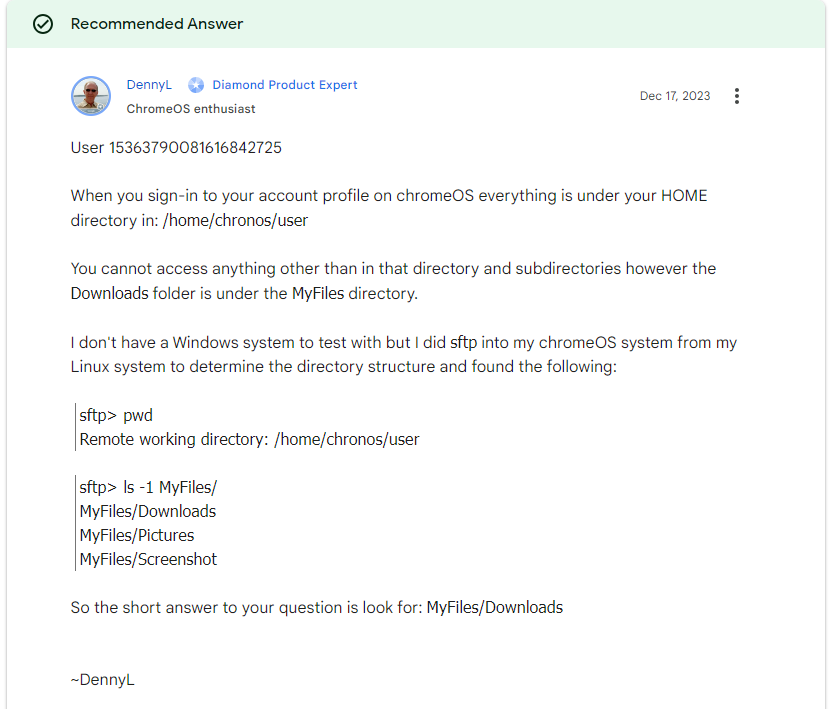
I've never touched chromebook before so I didn't know how their data structure look like, so I did some google search and found that it should be Downloads folder somewhere under user folder
# Find all "Downloads" directories
$downloadsDirs = Get-ChildItem -Path C:\ -Recurse -Directory -Filter *Downloads*

# Iterate over each "Downloads" directory and list its contents
foreach ($dir in $downloadsDirs) {
    Write-Output "Contents of directory: $($dir.FullName)"
    Get-ChildItem -Path $dir.FullName
    Write-Output ""
}
So I used this powershell script to recursively find all files inside all "Downloads" folders
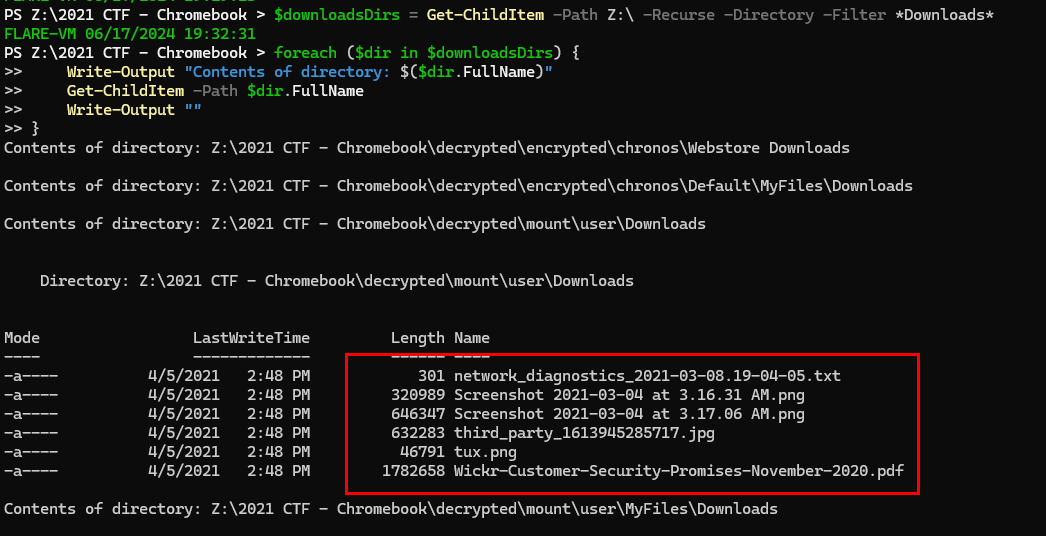
Which we will see that under \2021 CTF - Chromebook\decrypted\mount\user\Downloads folder, there are 6 files while the rest of Downloads folders doesn't have anything inside of them
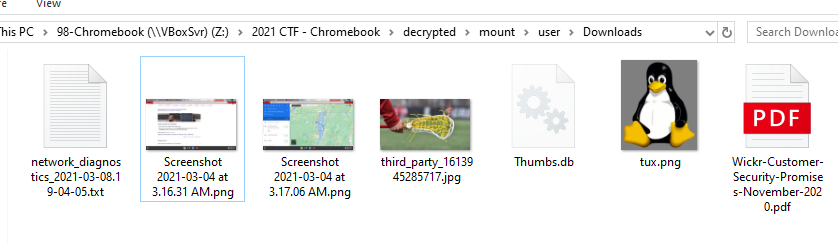
6
Q2: Smile for the camera - What is the MD5 hash of the user's profile photo?
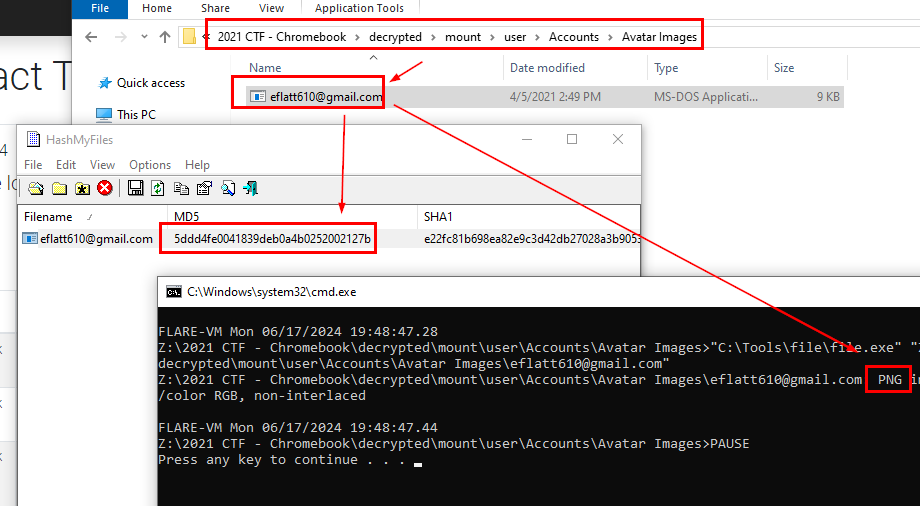
After determined user, directory then I found an avatar image inside \2021 CTF - Chromebook\decrypted\mount\user\Accounts\Avatar Images folder
5ddd4fe0041839deb0a4b0252002127b
Q3: Road Trip! - What city was Eli's destination in?
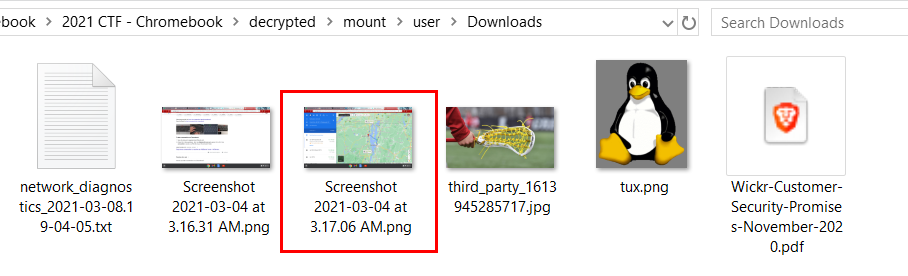
Inside user's Downloads folder, we can see an image taken from google maps
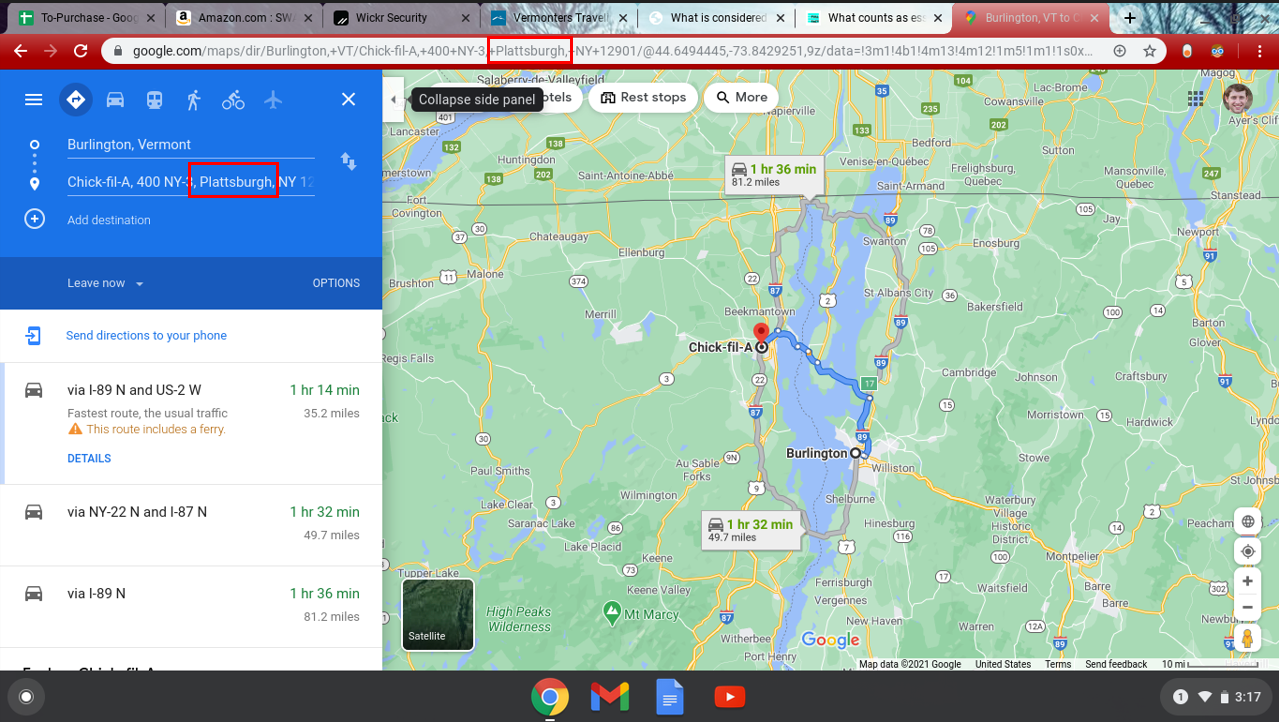
which indicates user was going to Chick-fill-a in Plattsburgh city
Plattsburgh
Q4: Promise Me - How many promises does Wickr make?
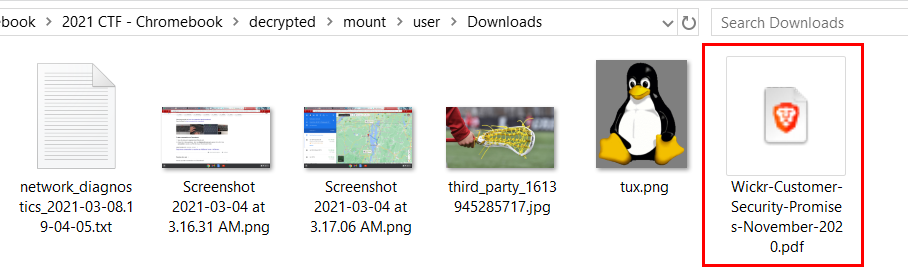
There is a pdf file inside user's Downloads folder that writing about Customer Security Promises
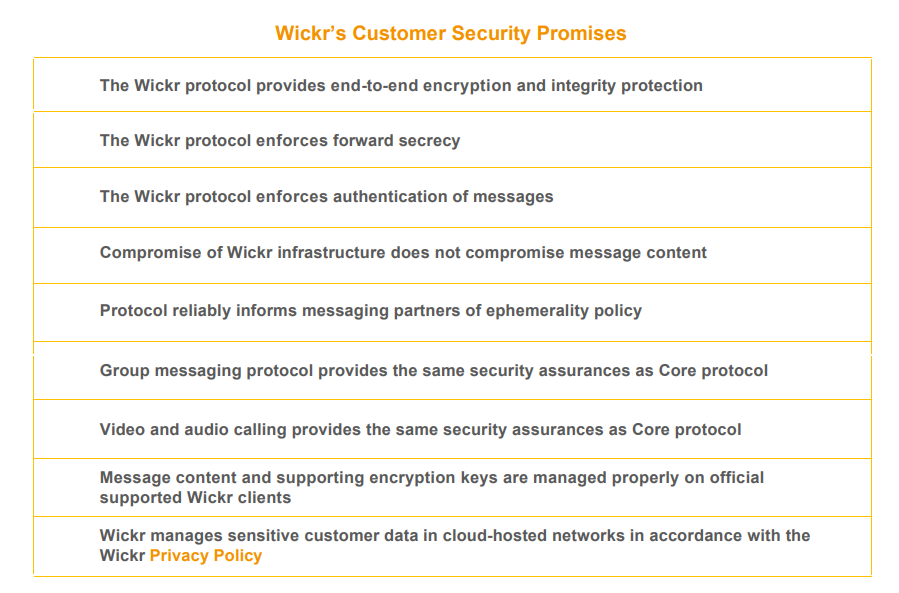
Open this file and scroll down for a bit then we can see there are 9 promises
9
Q5: Key-ty Cat - What are the last five characters of the key for the Tabby Cat extension?
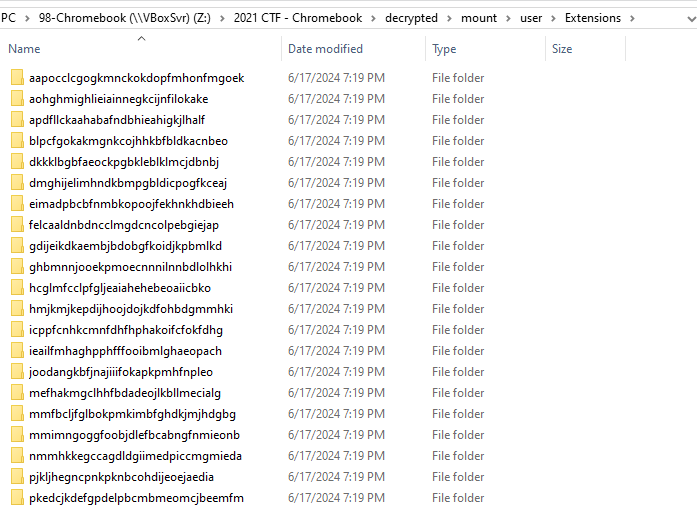
There are so much extensions inside user's Extensions folder

So I used Get-ChildItem -Path "Z:\2021 CTF - Chromebook\decrypted\mount\user\Extensions" -Recurse -File | Select-String -Pattern "Tabby Cat" | Select-Object -ExpandProperty Path -Unique to find all the file that has strings "Tabby Cat" which eventually gave us path to manifest.json of this extension
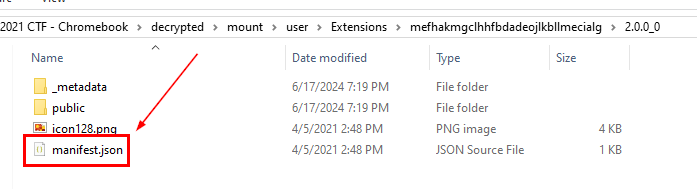
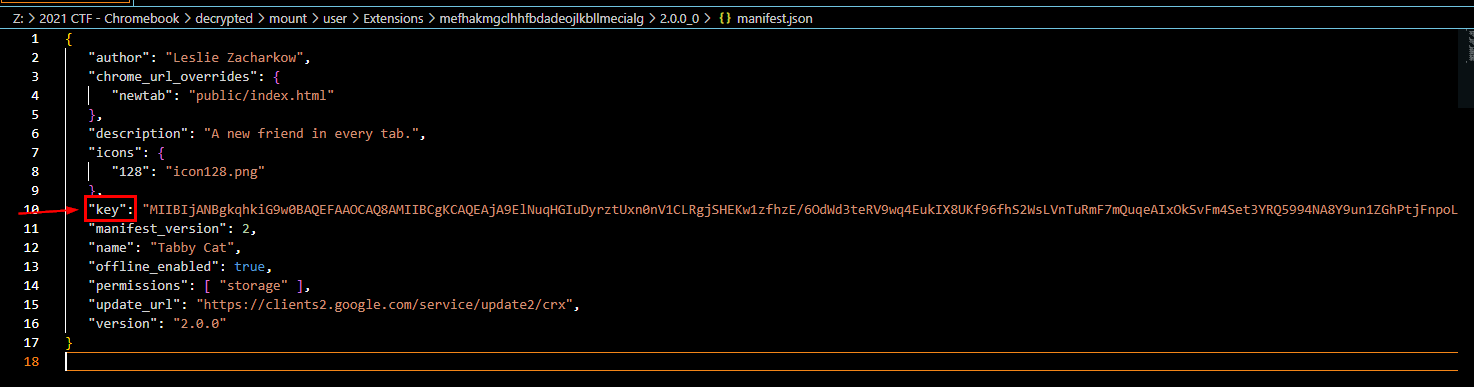
Lets open it and get the last five characters of the key to answer this question
DAQAB
Q6: Time to jam out - How many songs does Eli have downloaded?

There is Music folder inside \2021 CTF - Chromebook\decrypted\mount\user\MyFiles\, which have 2 mp3 files inside of it
2
Q7: Autofill, roll out - Which word was Autofilled the most?
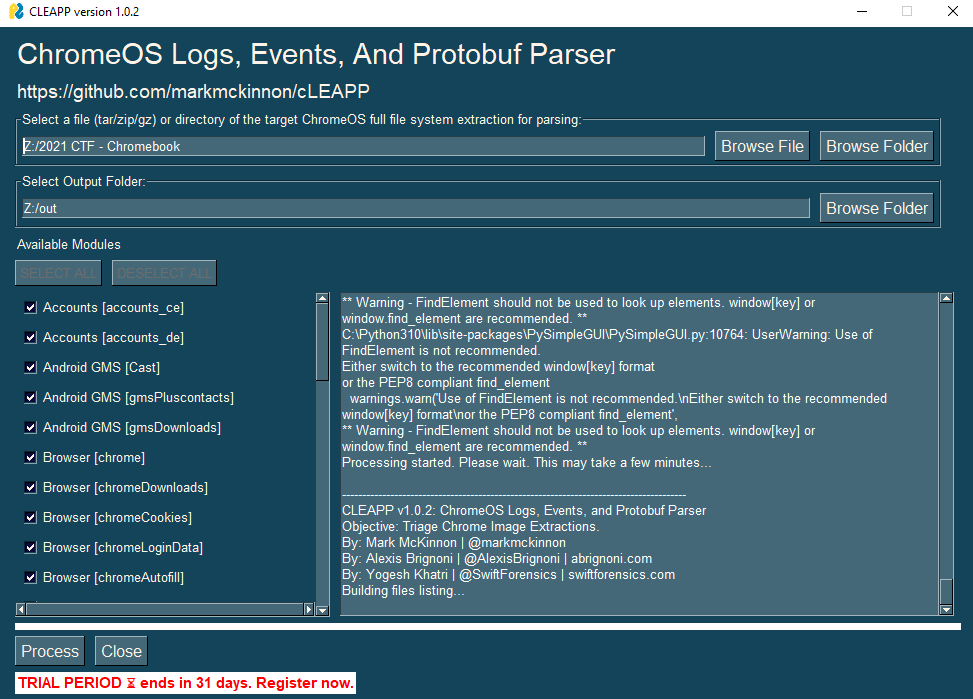
I used cLEAPP (Chrome Logs Events and Protobuf Parser) which is a tool that can help us automated some process for a little bit
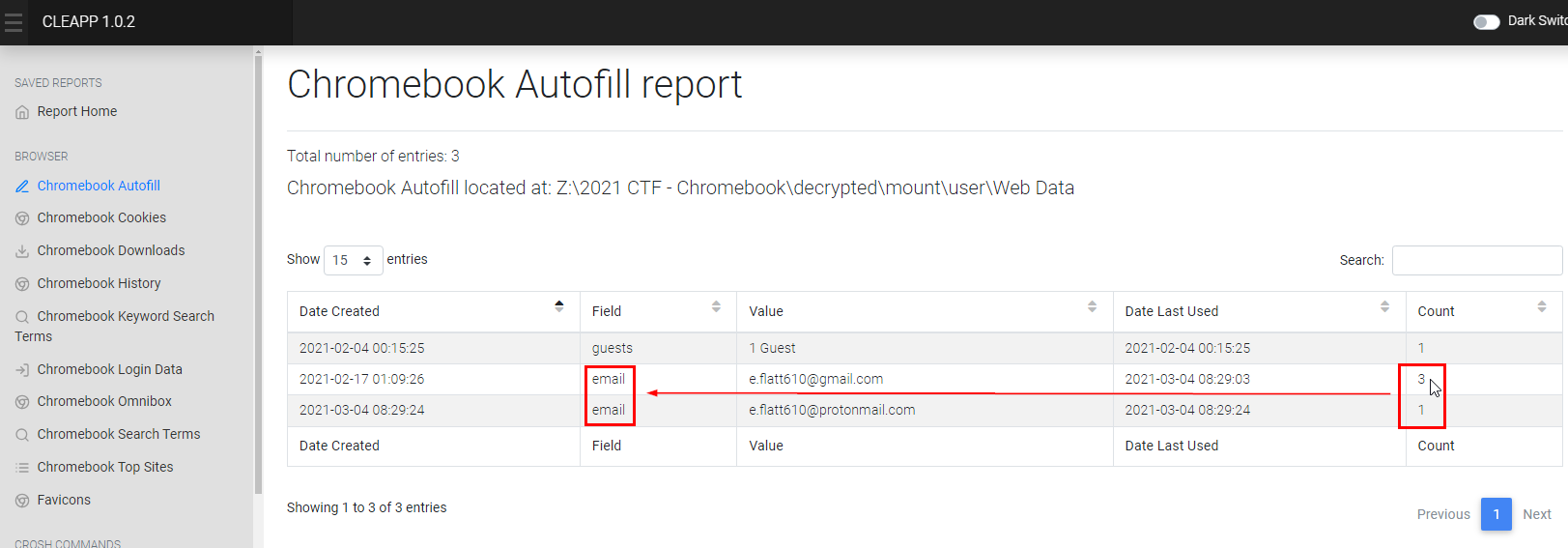
Go to Chromebook Autofill then you can see that email field was filled the most
Alternatively, you can use DBbrowser for SQLite to open Web Data sqlite database from user home folder
email
Q8: Dress for success - What is this bird's image's logical size in bytes?
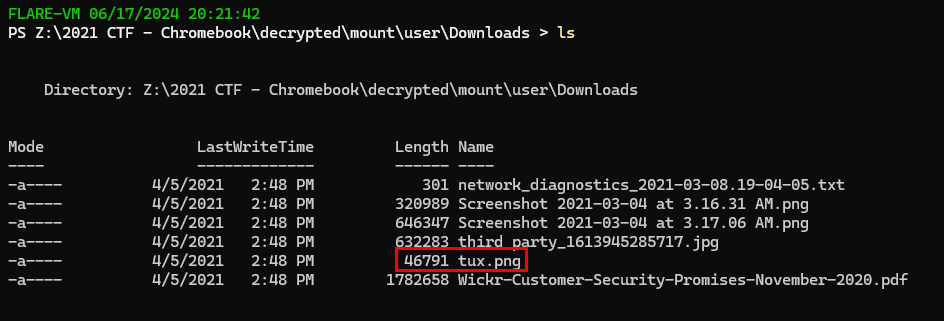
If you remember little linux penguin inside download folder, then you can navigate there and display logical size of this image
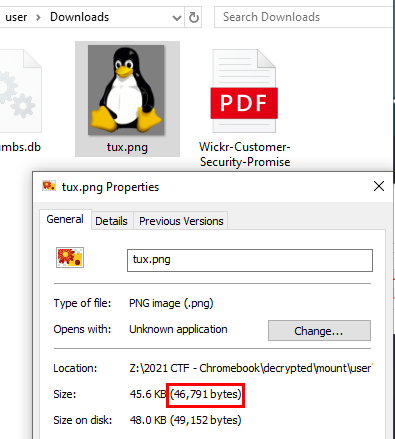
46,791
Q9: Repeat customer - What was Eli's top visited site?
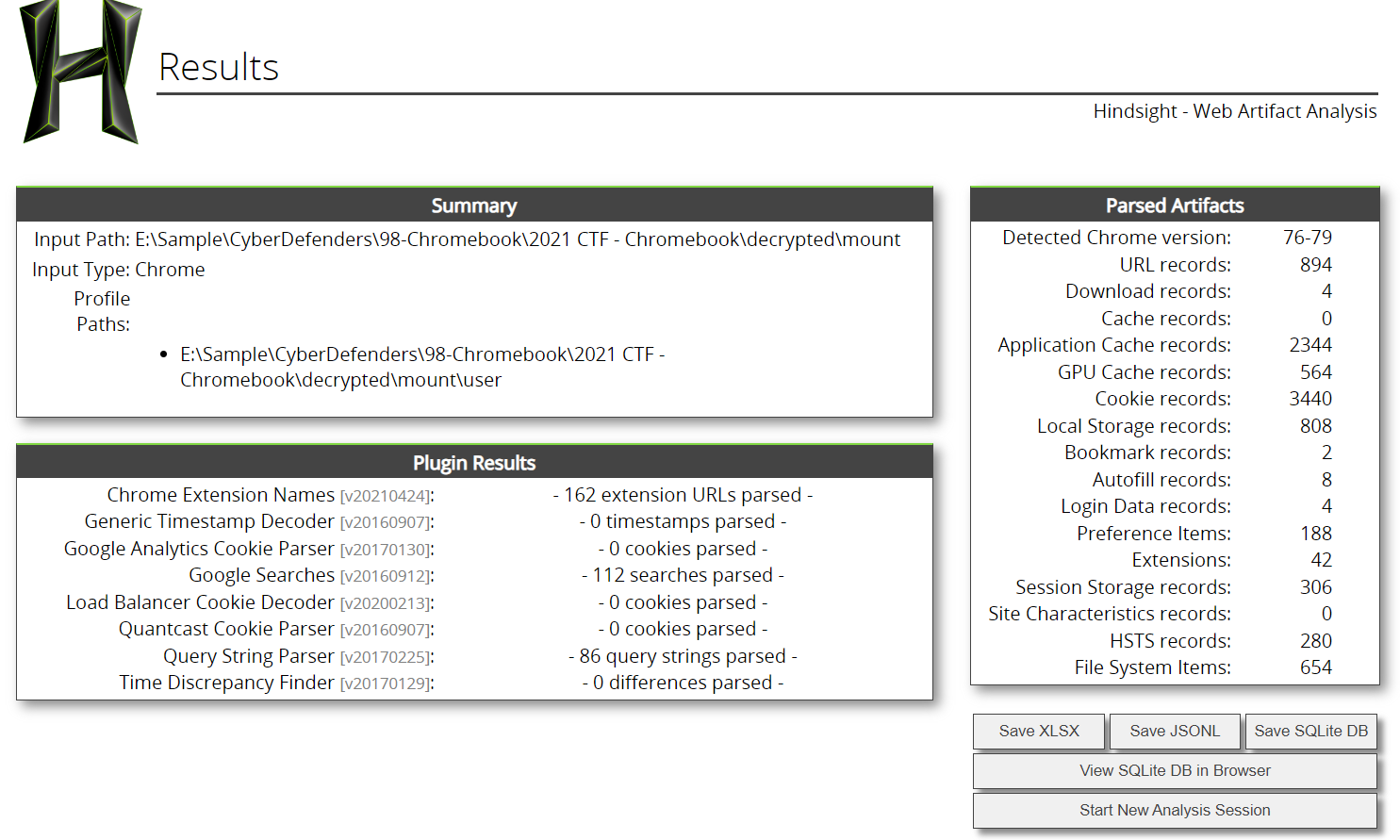
by using hindsight, you will eventually get the answer by sorting most visit sites but its not google doc
protonmail.com
Q10: Vroom Vroom, What is the name of the car-related theme?
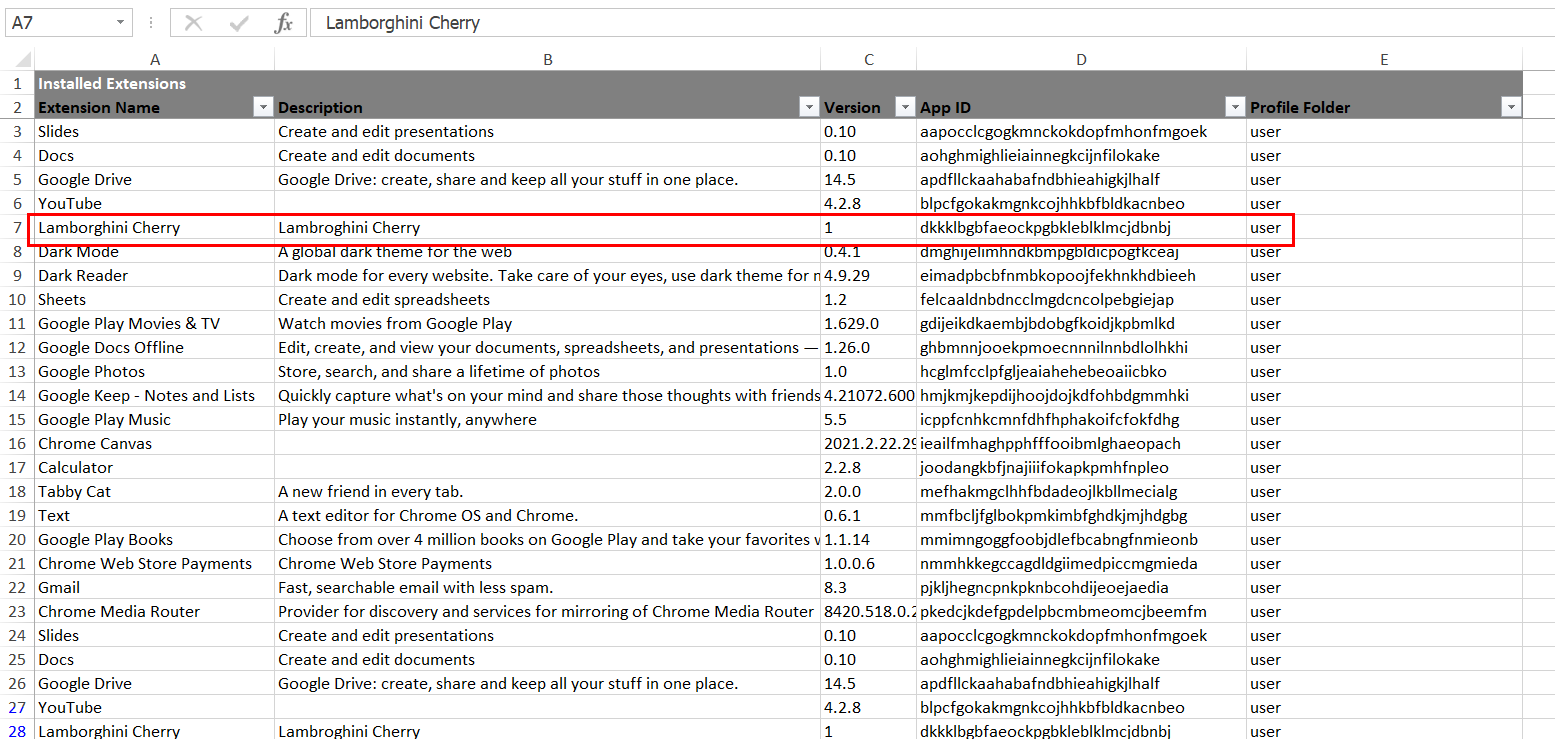
Go to Installed Extensions sheet and you will see there is only one extension that related to the car
Lamborghini Cherry
Q11: You got mail - How many emails were received from notification@service.tiktok.com?

I searched for a file that contains the string "tiktok" inside and the file that caught my eye and made me want to look into it first is \2021 CTF - Takeout\Takeout\Mail\All mail Including Spam and Trash.mbox

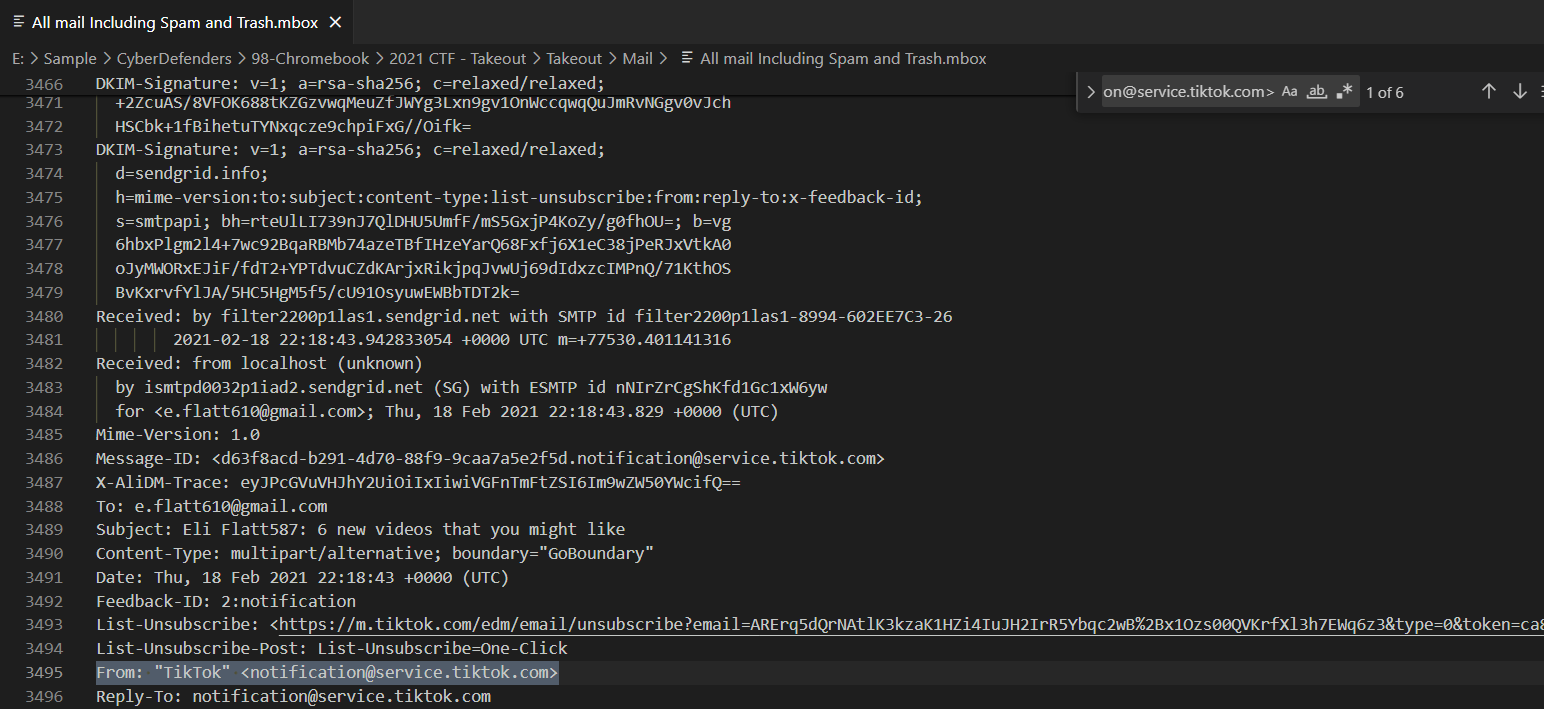
We can use thunderbird to open this but to make things easier, I'll just open this file using VScode and filter for "From: "Tiktok" notification@service.tiktok.com""
6
Q12: Hungry for directions - Where did the user request directions to on Mar 4, 2021, at 4:15:18 AM EDT

We know that user was going to Chick-fill-A but time doesn't add up so I searched for this specific time and found it was in \2021 CTF - Takeout\Takeout\My Activity\Maps\MyActivity.html
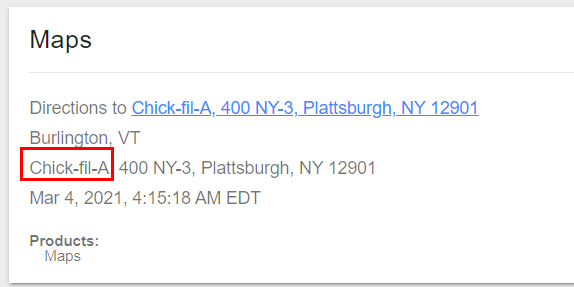
After researching what is Takeout folder, now it make sense why we found this information here
Chick-fil-A
Q13: Who defines essential? - What was searched on Mar 4, 2021, at 4:09:35 AM EDT

It is in \2021 CTF - Takeout\Takeout\My Activity\Search\MyActivity.html
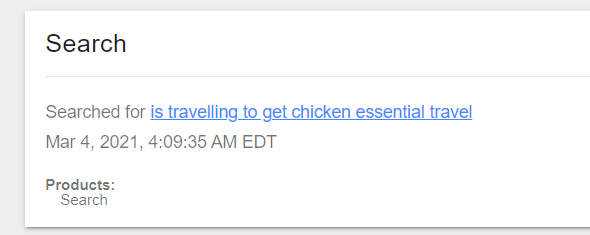
is travelling to get chicken essential travel
Q14: I got three subscribers, and counting - How many YouTube channels is the user subscribed to?

There is a subscriptions.json inside \2021 CTF - Takeout\Takeout\YouTube and YouTube Music\ folder

There is no data inside of it which mean this user does not subscribe to anyone on youtube
0
Q15: Time flies when you're watching YT - What date was the first YouTube video the user watched uploaded?

The answer lying in \2021 CTF - Takeout\Takeout\My Activity\YouTube folder
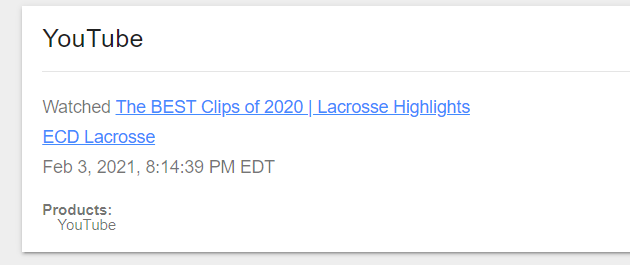
Scroll down to the last record which is the oldest one/first one that was recorded, follow this link then you will find the first youtube video that user watched
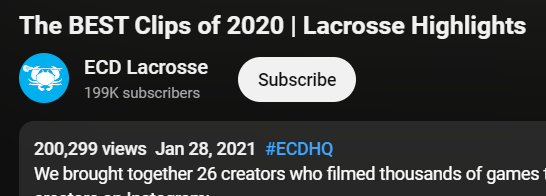
My timezone is UTC+7 so I have to subtract a day out of this
27/01/2021
Q16: How much? - What is the price of the belt?

Result from searching for a "belt" string lead us to Chrome browsing history
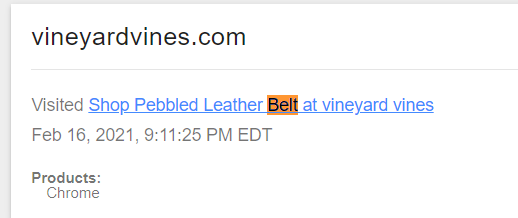
We can see that user accessed a shop for leather belt
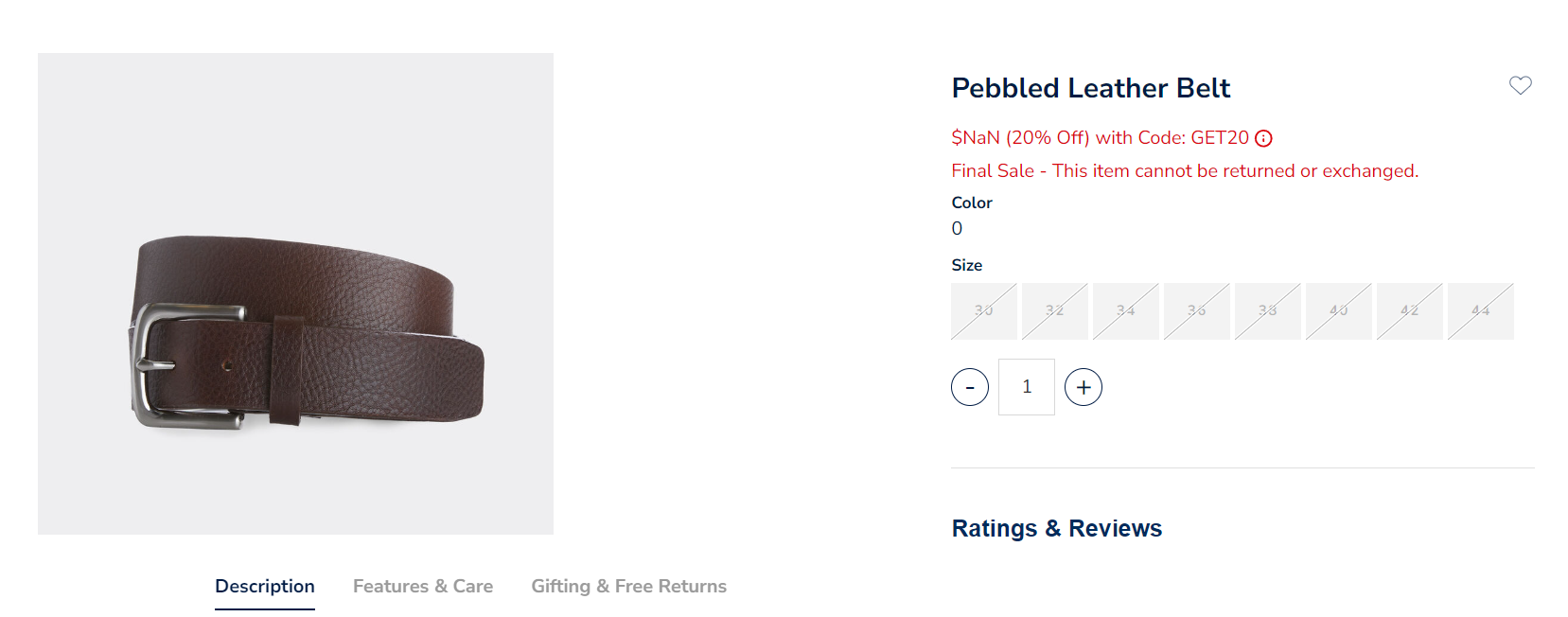
But it is out of stock and the price could not be find anymore
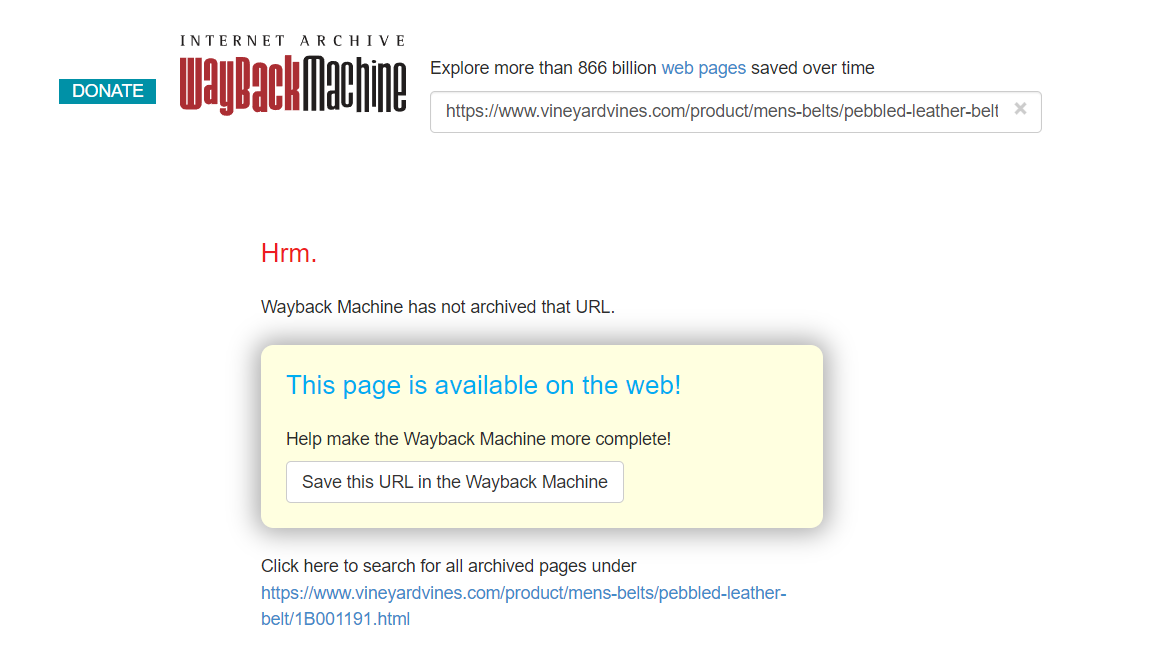
I couldn't search for this belt on web archive too
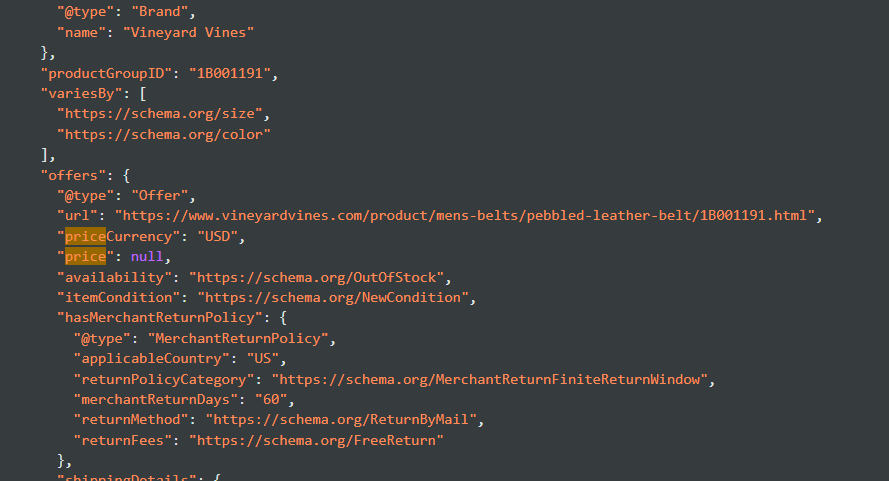
Inspecting web page does not give me anything either
So I had to read other write-up for this one and turn out that I was using the right url on wayback machine and the url that was archive is https://web.archive.org/web/20210122000112/https://www.vineyardvines.com/mens-belts/pebbled-leather-belt/1B001191.html?dwvar1B001191color=202&cgid=mens-accessories
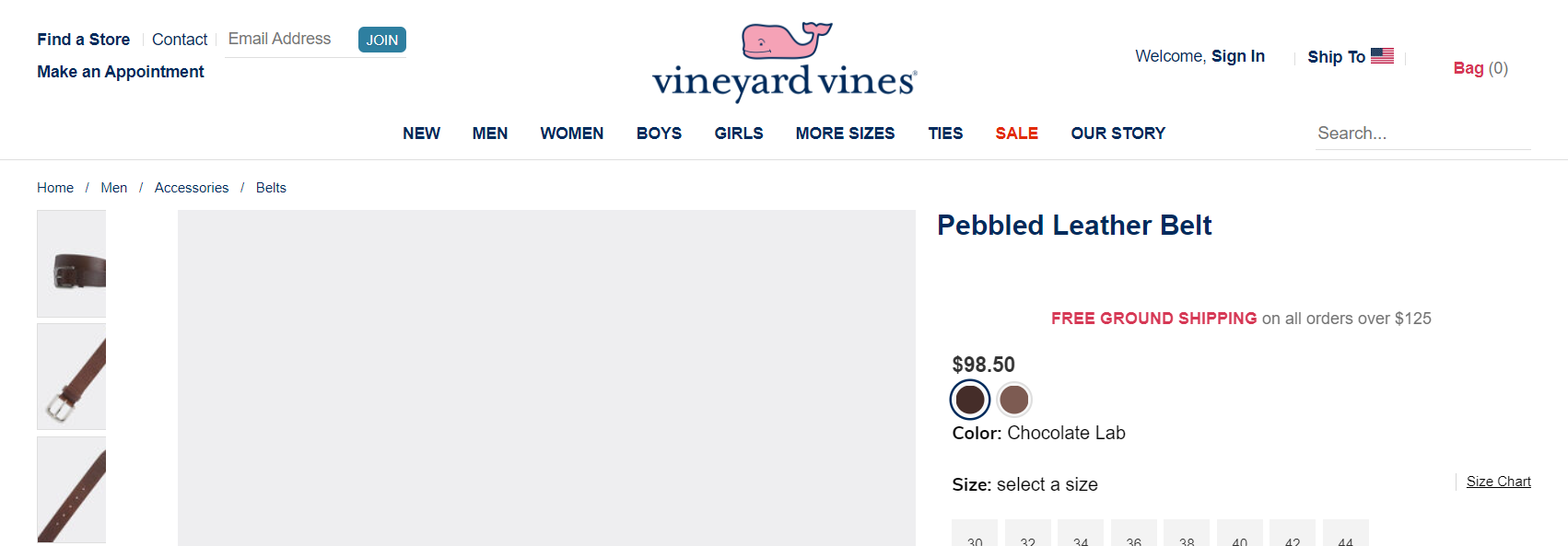
98.5
https://cyberdefenders.org/blueteam-ctf-challenges/achievements/Chicken_0248/eli/